Embed
20:11 12.09.2023
Embed module allows you to insert Embed code, for example, from YouTube.
Inserting Embed code from YouTube
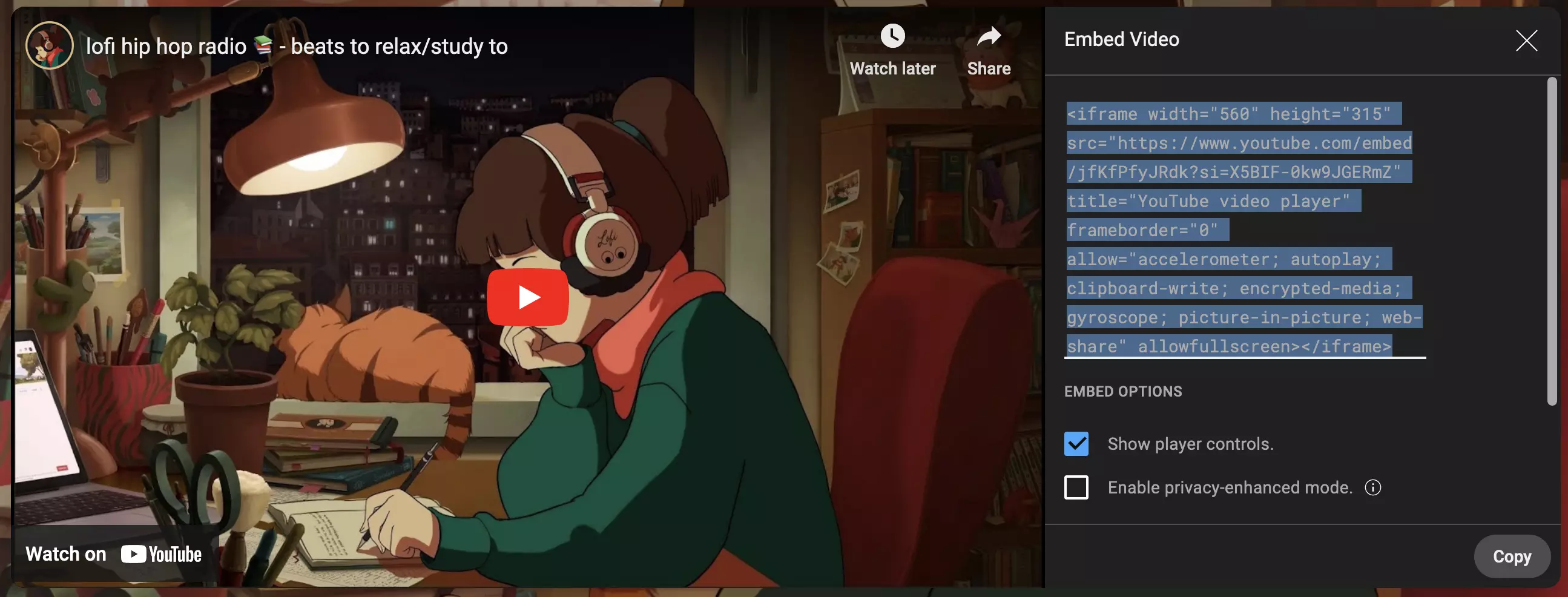
1. Copy the code from YouTube (You can get it by clicking the Share -> Embed):
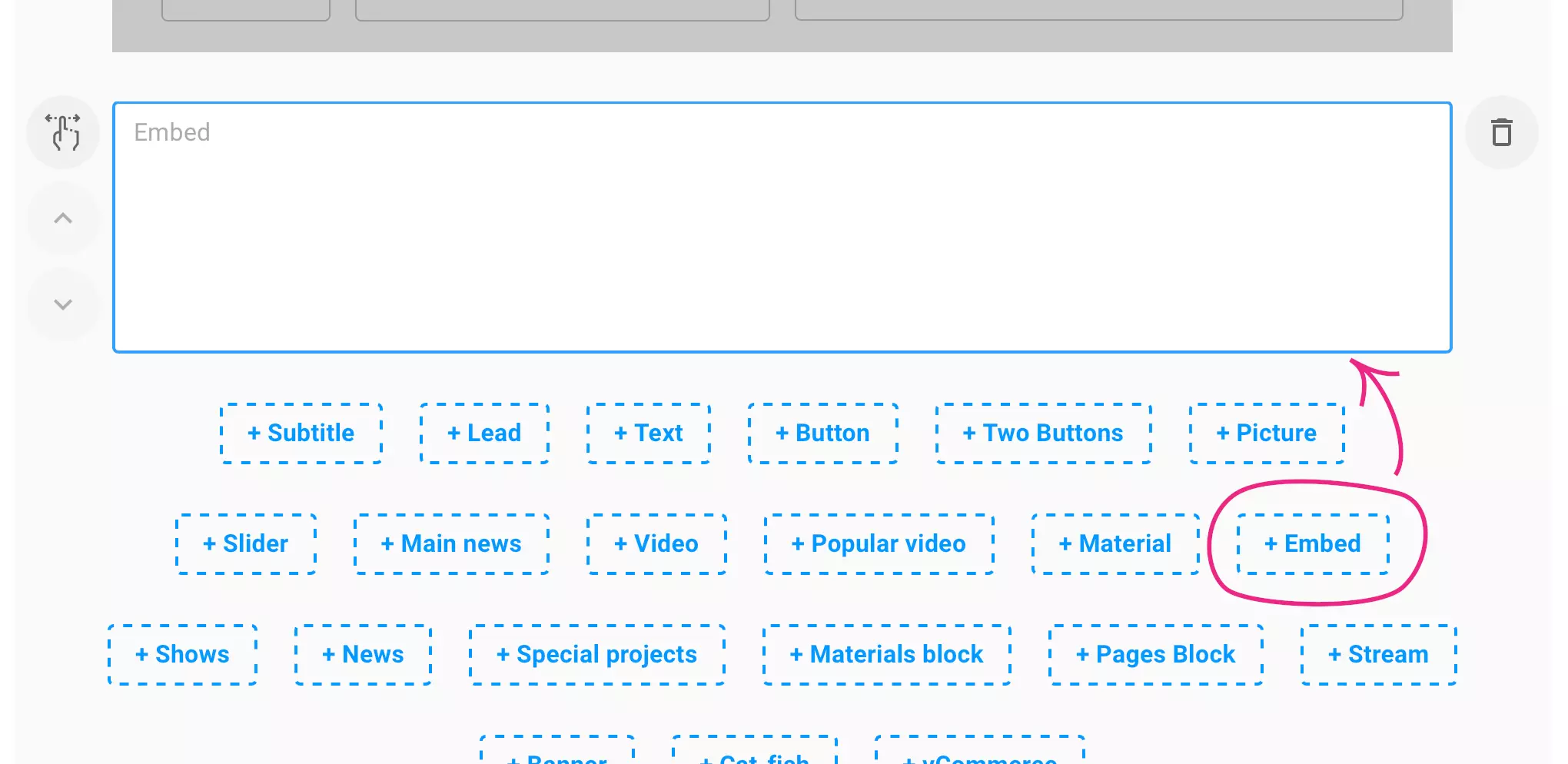
2. Add Embed module:
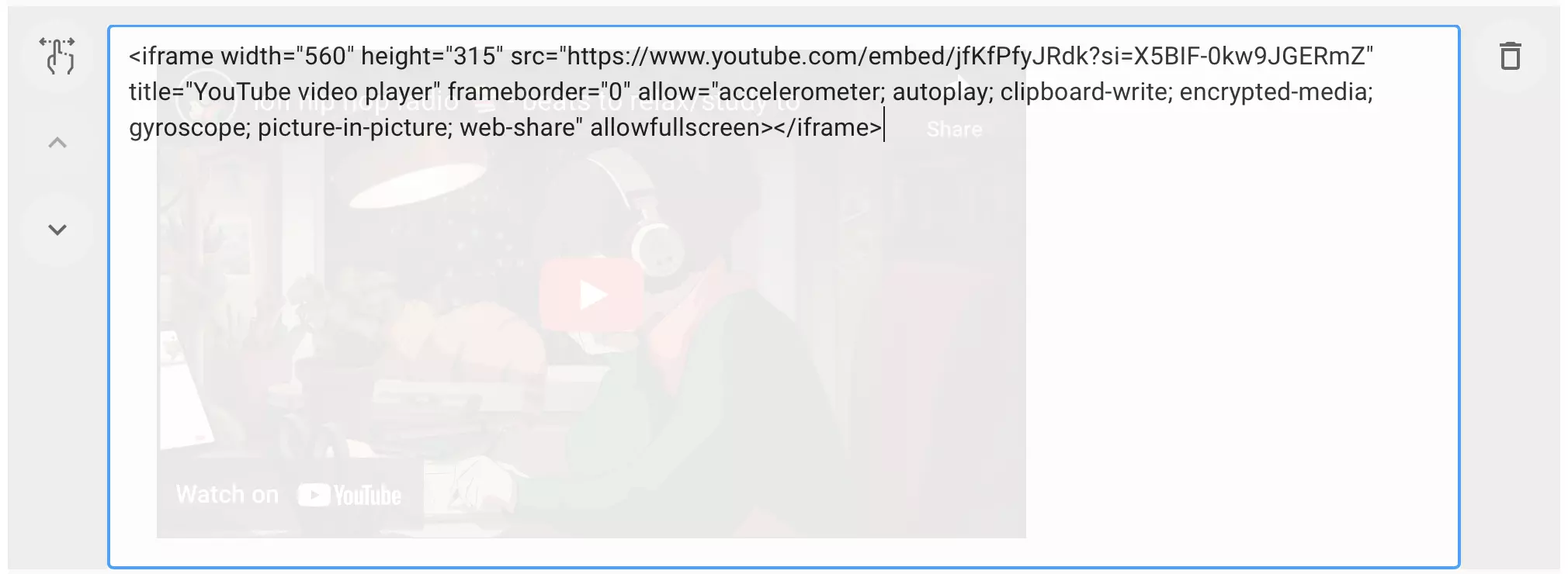
3. Paste the copied embed code from YouTube into the Embed module:
Adjust the maximum size of the embed code
1. In the inserted code after <iframe width="516px" height="315px" insert the style attribute style="width: 100%; height: auto; aspect-ratio: 516 / 315;". Where aspect-ratio: 516 / 315, you must set the values from the width and height attributes:
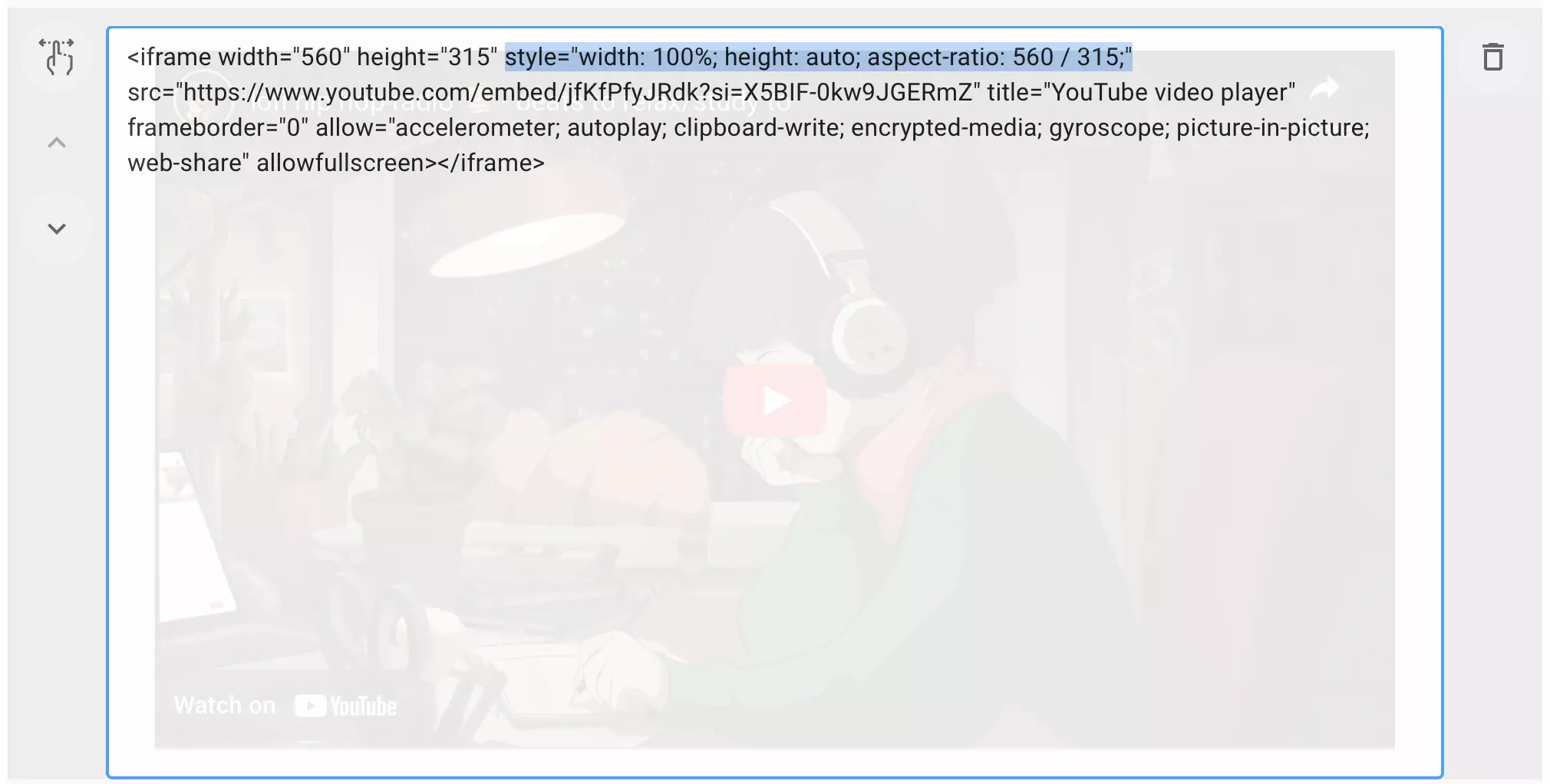
2. After that, be sure to remove the attributes width="516" height="315":
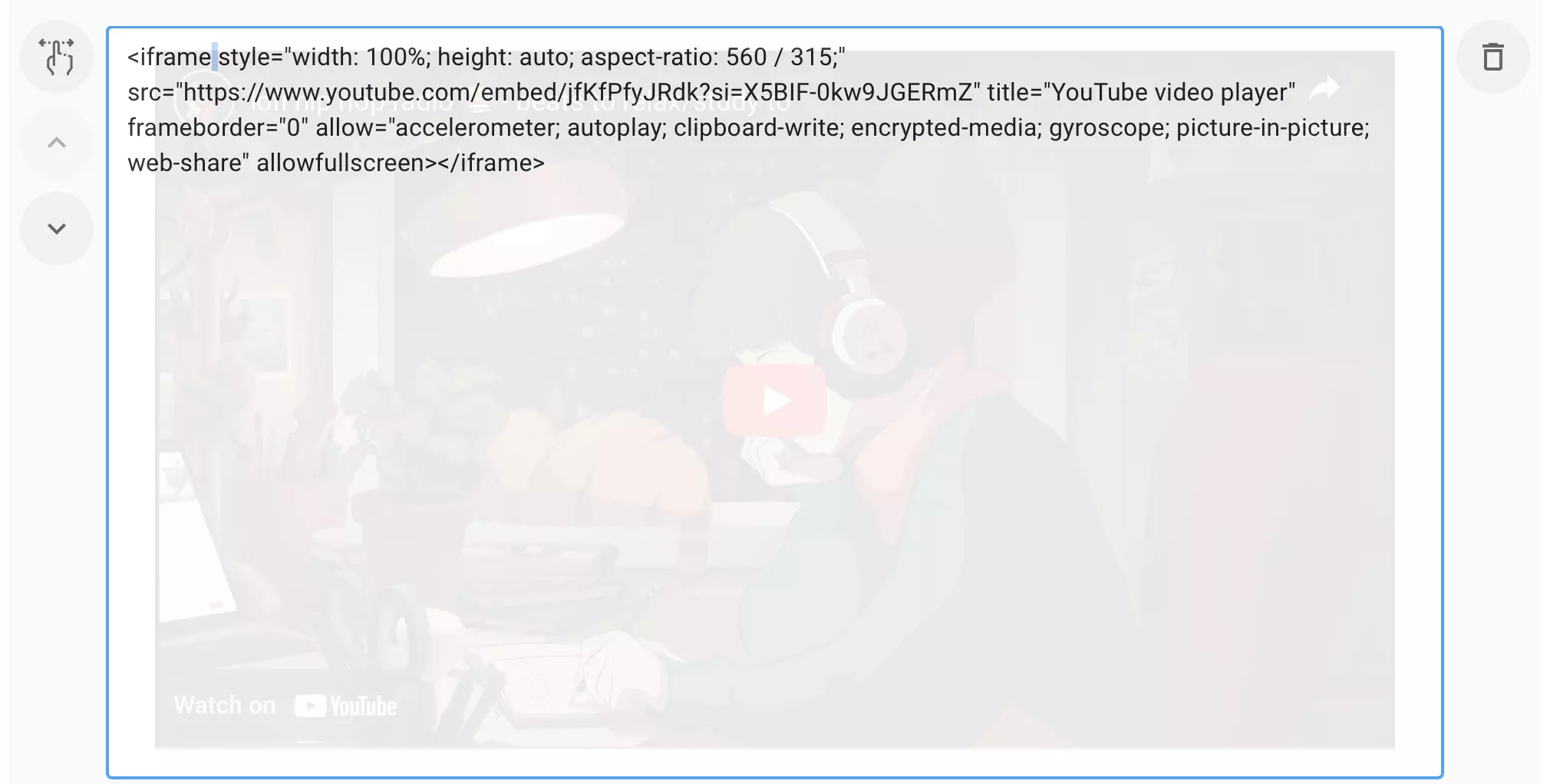
DONE! Now the inserted embed code from YouTube will occupy the maximum space while maintaining the aspect ratio.

This method can also be applied to other embed codes, but the result is not guaranteed.
Share:


